UI Design Project
BBF
Brunos Best Friend

The Brief
This project for creating a dog walker app was provided by RMIT Online University.
The UX research has been validated, and we were given the user knowledge from the first round of research. My task was to prepare for the next iteration and start the UI process.
Let's get ready to start designing !!
Moodboard
Before designing, I created a mood board to help get ideas flowing.
- I went for a playful and fun theme.
- Used blue colour as it evokes a sense of calmness, and that's how I want users to feel when interacting with the app
- Used orange as a secondary colour and it adds nice pop of colour

User Flow
Next, I created a user flow with UI states in mind to help envision what this app would look like for the user.
- During this process, I found myself coming back to the user flow to help make sure I was on the right track.

Components
Next was creating components!
-Made sure the colours passed the accessibility guidelines.


Illustrations used
Design Iterations
.jpg)
Mid-Fi Designs
When creating Mid-fi designs, I started to think about the UI states I should be considering and where I could show this in my design.
.jpg)
High-Fi Designs
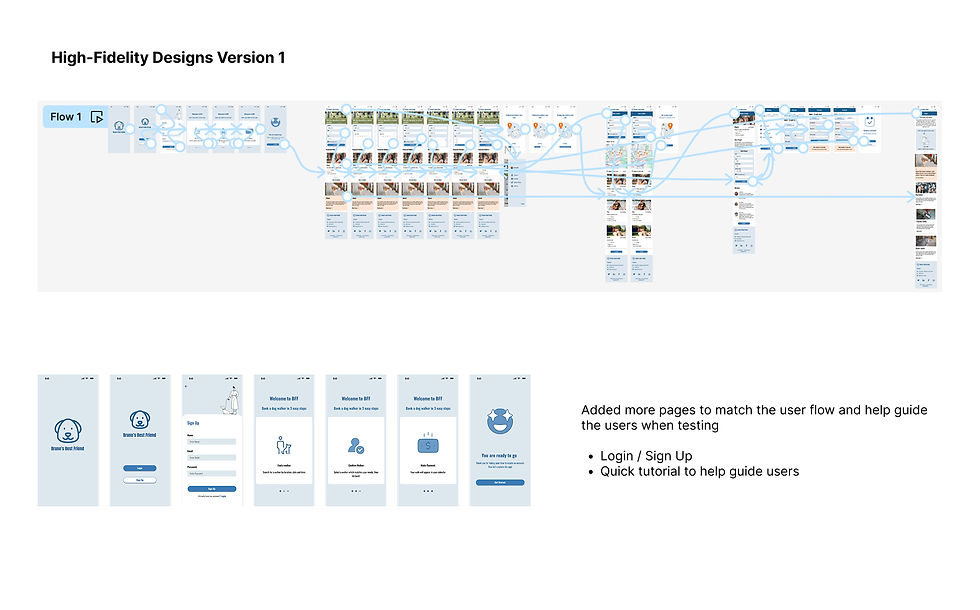
When creating High-fi designs, I created more screens to guide the users in their journey, as well as added all the different UI states.
.jpg)

- Added Payment + Confirmation screens
- Included all 4 UI states
Usability Testing
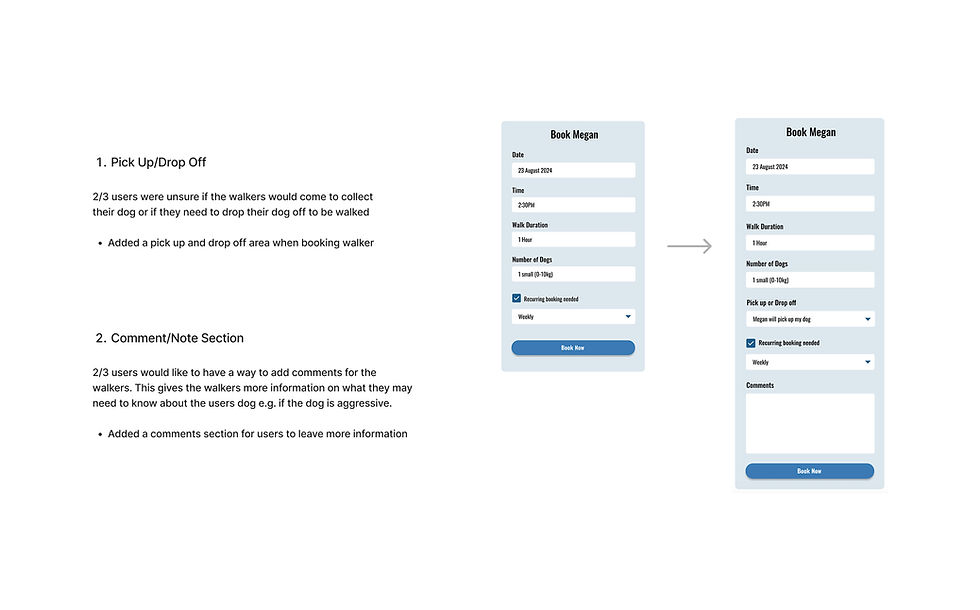
I completed user testing with three different users who all owned 1-2 dogs and put the observations onto sticky notes. I then grouped them into themes and selected insights based on priority levels.
All users were able to successfully book a dog walker for their dog, so priority issues were mainly problems that confused and worried the user.
.jpg)
Changes made based on user testing
.jpg)
.jpg)
.jpg)
